
The OS module in Python provides access to system-specific functions for dealing with the filesystem, processes, scheduler, etc. You need to master the Python OS system for writing applications that deal with real-world problems. This guide discusses some of the core concepts and illustrates how to use the Python system command.
Features of the Python OS System
The OS system serves as a portable way of interacting with the underlying operating system. It offers access to file names, command line arguments, environment variables, process parameters, and filesystem hierarchy alongside other functionalities.
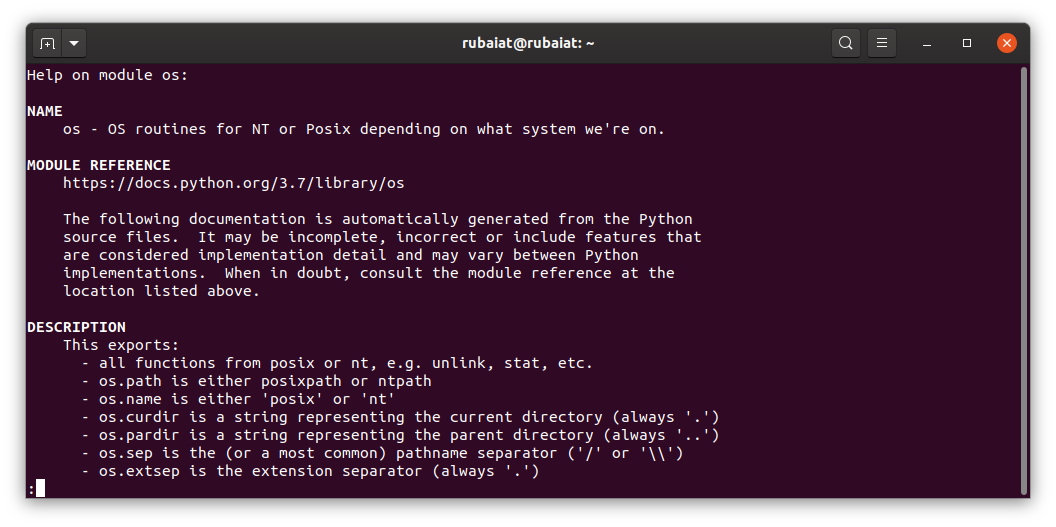
This module also contains two sub-modules, the os.sys module, and os.path module. You can use the functions provided by the OS module for performing a wide range of tasks. Some common usage includes executing shell commands, managing files and directories, spawning processes, etc.
Getting Started With the OS Module
The easiest way of exploring the OS module is through the interpreter. You can import the module there and use the system functions without writing source code. You need to have Python installed for this, though. So go ahead and install Python on your local machine.
Start the interpreter by typing python in your terminal or command shell. Once it's open, import the OS module by using the following statement.
>>> import osYou can now access the functionalities provided by the OS module, including the Python system command. For example, you can determine the system platform using the name command. The below example shows how to invoke system commands exposed by the OS module.
>>> os.nameThis function checks if certain OS specific modules are present and determine the platform based on that. Use the uname function to get detailed information.
>>> os.uname()This command displays the exact system platform alongside the machine architecture, release, and version information. Use the getcwd function to retrieve the current working directory.
>>> os.getcwd()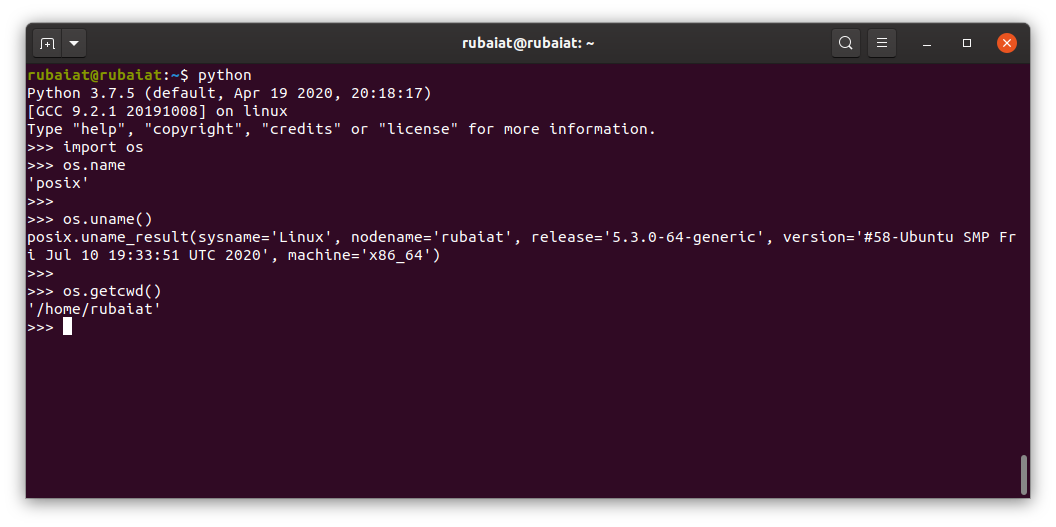
You can easily change the working directory using the Python system command chdir. Pass the new location as a string parameter.
>>> os.chdir('/tmp')The mkdir function of the OS module makes creating new directories straightforward. It also allows us to create recursive folders, meaning Python will create all missing directories that are parents to the leaf directory.
>>> os.mkdir('new-dir')Use the rmdir command to delete directories from your working directory.
>>> os.rmdir('new-dir')
Examples of Python System Command
The system command provided by the OS module allows programmers to execute shell commands. Make sure to define the command name as a string. Once you call the python system command, it will run the given command in a new subshell.
>>> cmd = 'date'
>>> os.system(cmd)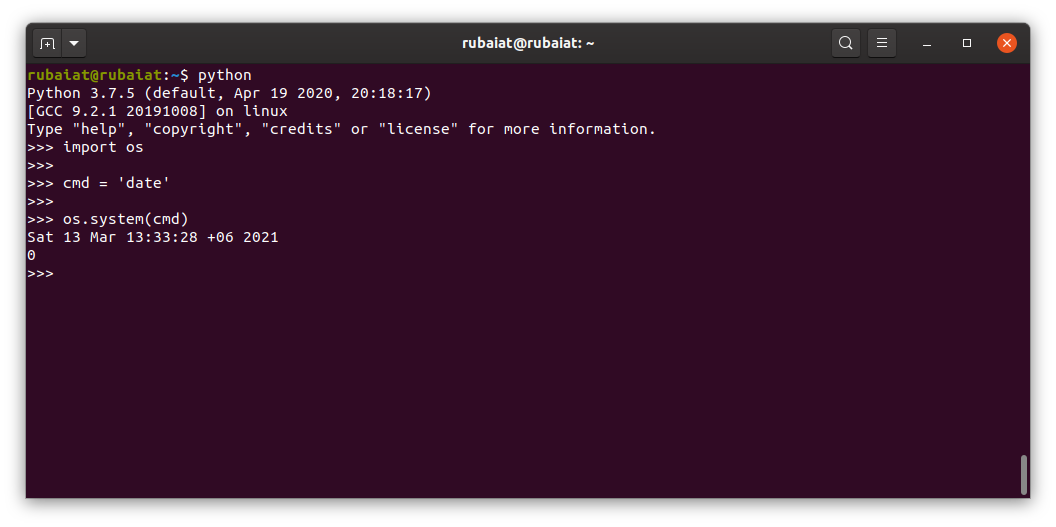
You can run other stand-alone applications using this same method. The following example executes the terminal editor nano from your Python shell.
>>> cmd = 'nano'
>>> os.system(cmd)
Python OS system also outputs the return code for each command being executed. POSIX systems return 0 for successful execution and nonzero values to indicate problems.
You can use the OS system in Python for running anything you want. For example, if your program needs to read the version information of a program on the user machine, you could do something like the following.
>>> cmd = 'gcc --version'
>>> os.system(cmd)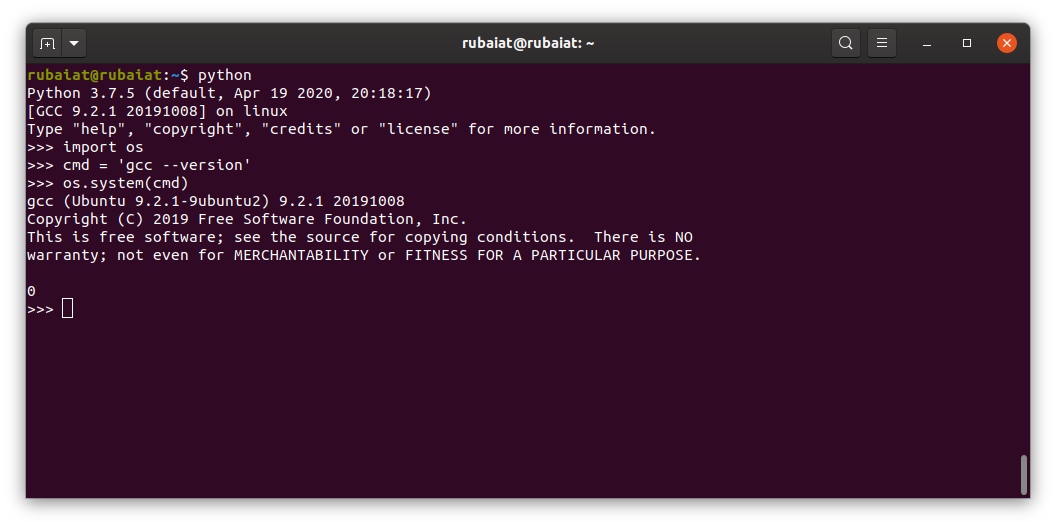
The below example executes a simple shell command that creates a new file called users.txt and populates it with all users logged in. A lot of Python programs do these things.
>>> os.system('users > test')We are passing the command name to the OS system as a string. You can use all types of useful terminal commands the same way.
>>> os.system('ping -c 3 google.com')You can also use subprocess calls for executing system commands from Python. This provides several added benefits, including faster runtime, better error handling, output parsing, and piping shell commands. Python's official documentation also recommends subprocess call over older modules like os.system and os.spawn.
>>> import subprocess
>>> subprocess.run(["ping","-c 3", "example.com"])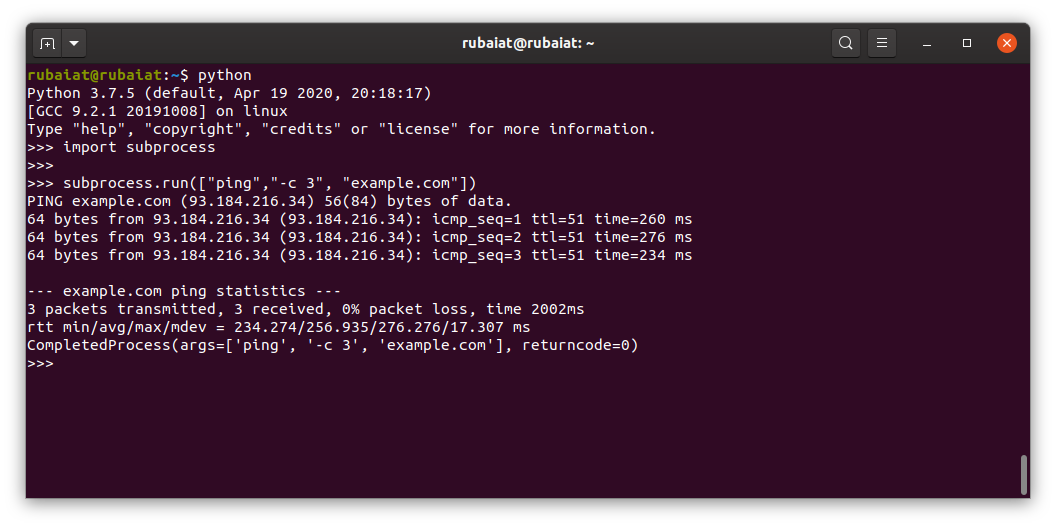
Managing Files and Directories via OS Module
We've shown how to create simple files and directories using the Python OS module. What if you want to create nested folders? The OS system also takes care of this for us programmers. For example, the below snippets create the folder $HOME/test/root/api. It will also create the necessary parent directories if they are not available.
>>> dirname = os.path.join(os.environ['HOME'], 'test', 'root', 'api')
>>> print(dirname)
>>> os.makedirs(dirname)
First, we retrieved the home directory using environ and then joined the folder names via os.path.join. The print statement displays the folder name, and makedirs creates it.
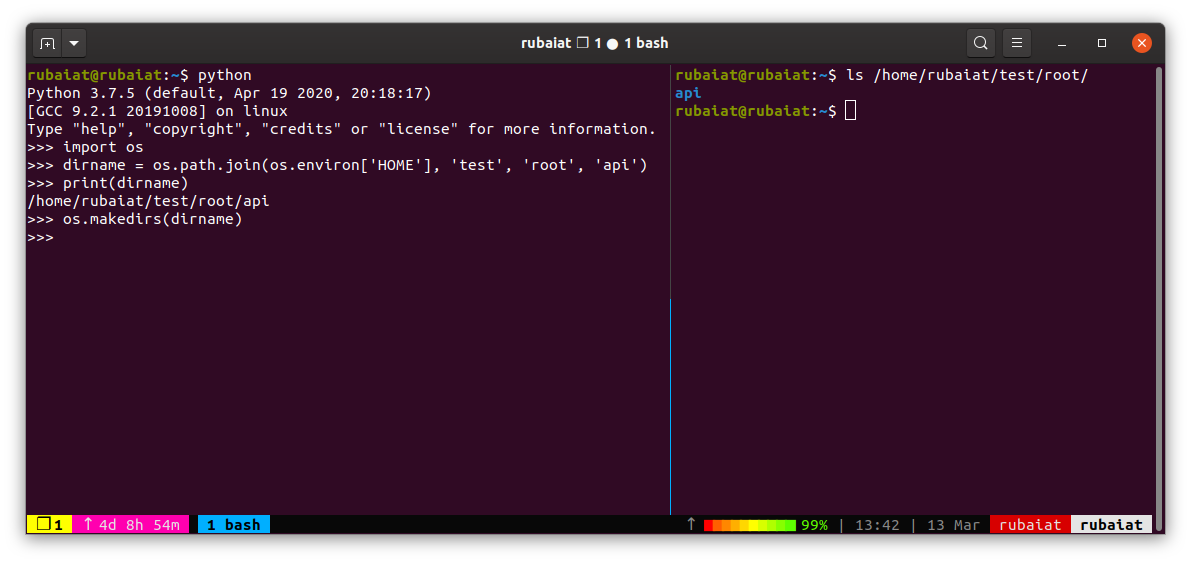
We can view the new directory using the listdir method of the OS module.
>>> os.chdir(os.path.join(os.environ['HOME'], 'test', 'root', 'api'))
>>> os.system('touch file1 file2 file3')
>>> os.listdir(os.environ['HOME'])
You can easily rename the api directory using the rename command offered by the OS module. The below statement renames this api directory to test-api.
>>> os.rename('api', 'test-api')Use the isfile and isdir function of OS if your program needs to validate specific files or directories.
>>> os.path.isfile('file1')
>>> os.path.isdir('file1')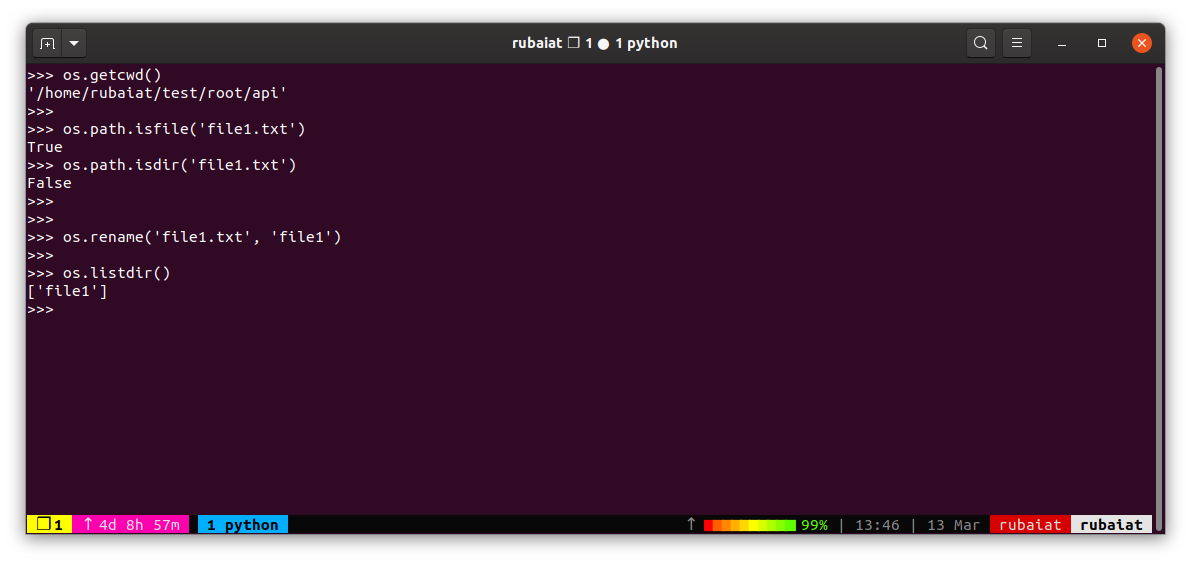
The OS module in Python also allows developers to extract file and folder names alongside file extensions. The below snippets illustrate the use of os.path.split and os.path.splitext in this regard.
>>> dir = os.path.join(os.environ['HOME'], 'test', 'root', 'api', 'file1.txt')
>>> dirname, basename = os.path.split(dir)
>>> print(dirname)
>>> print(basename)
Use the below code to extract extensions like .txt or .mp3 from filenames.
>>> filename, extension = os.path.splitext(basename)
>>> print(filename)
>>> print(extension)
Miscellaneous Use of the Python OS System
The OS module offers many additional functions for manipulating things like user processes and the job scheduler. For example, you can quickly get the UID (user id) of the current process using the getuid function.
>>> os.getuid()
>>> os.getgid()
The getgid function returns the group id of the running process. Use getpid for getting the PID (process id) and getppid to get the parent process id.
>>> os.getpid()
>>> os.getppid()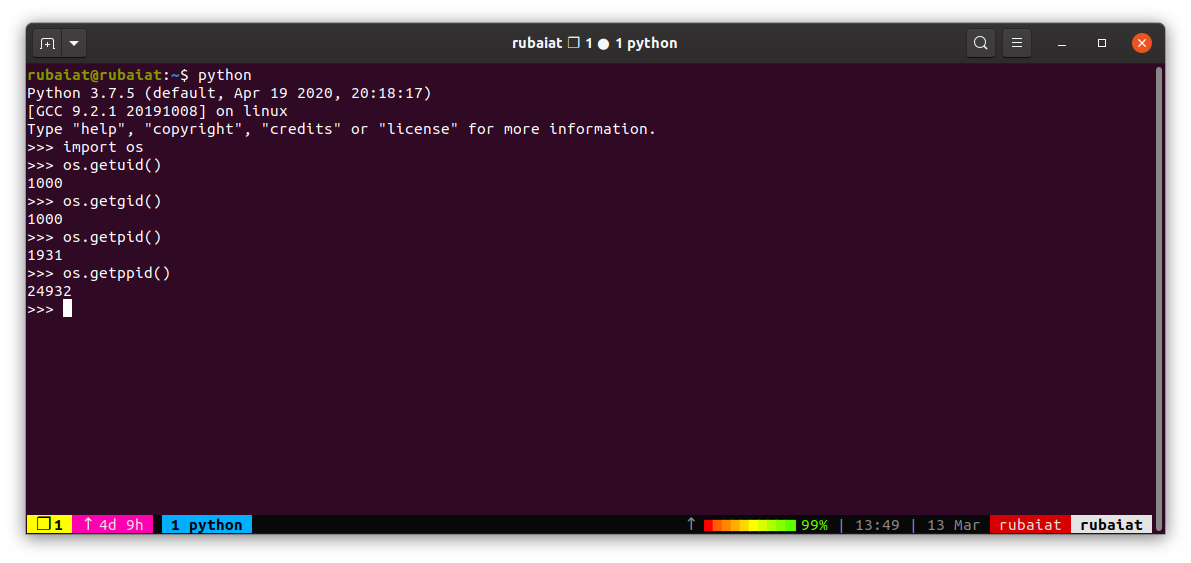
You can also use the OS module for changing permissions of files and directories from your Python program. Use the chmod function of OS to do this.
>>> os.chmod('file1.txt', 0o444)This command changes the permission of file1.txt to 0444. Use 0o444 instead of 0444 to make sure the statement is compatible across both major versions of Python.
Harness the Power of Python OS System
Python's OS module provides everything you need to interact with the underlying operating system. A clear understanding of the OS system is needed for writing truly cross-platform programs. We've covered some of the core functionalities provided by this module to help you get started. Try them at your own pace, and don't forget to tinker with them.




0 Comments