
The router world has continued to grow just as fast as any technological sector. Multiple companies dominate like Huawei, TP-Link, Asus, and the most recent of all, Google.
Google has continued to expand its activities and rebrand its devices with different additions like Google Wifi and Nest Wifi. It's vital to ensure you understand each product on the market.
Let's compare the two systems, Nest Wifi and Google Wifi, and see which one comes out on top.
What Is Google Wifi?
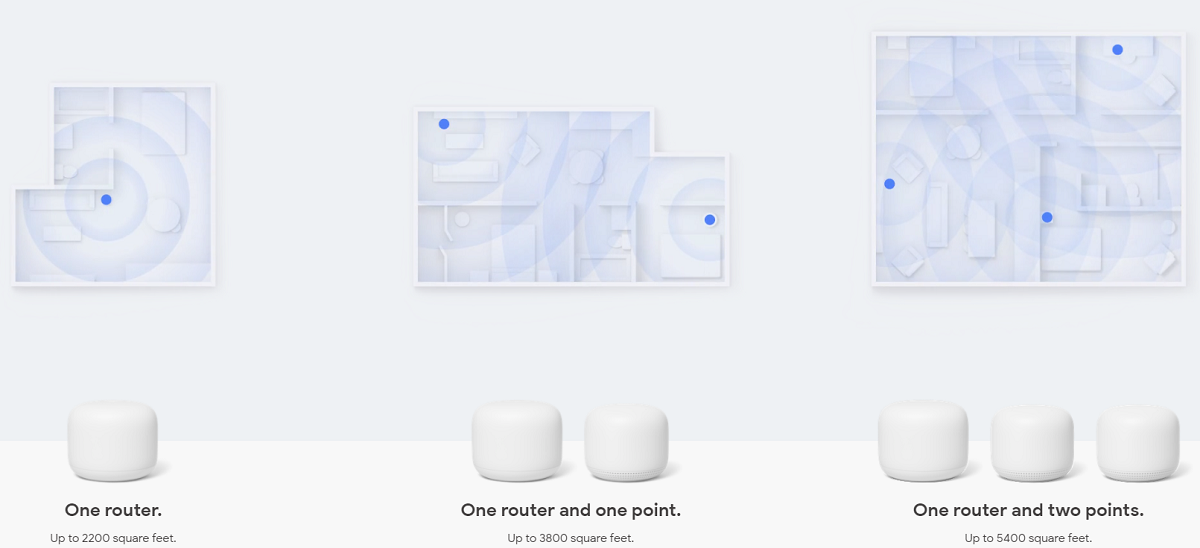
Google Wifi is a mesh network system to help ensure improved wireless coverage in an area. One of the devices connects to the main router. The other devices are placed in different locations, usually with a weak signal, and connect to the central unit wirelessly.
Once the devices link up to each other, they form a mesh Wi-Fi network. The arrangement of Google Wifi router devices maintains a strong Wi-Fi signal ensuring strong wireless connectivity within the area.
It may seem overly complicated, but the bottom line is that Google Wifi aims to replace your traditional router and ensure you get a better, stronger wireless signal.
Google Wifi: Capabilities
Google Wifi has a lot to offer that sets it apart from other router systems on the market. One of the main services Google strived to deliver when launching the Wi-Fi system was the elimination of dead spots in a connected area.
Multiple devices placed in different areas of a home can help better provide coverage with no dead spots. That ensures you'll always have a great and speedy connection wherever you are in a home.
Another great feature of Google Wifi is a pause feature. It allows you to turn off the Internet connection with the push of a button. That comes in handy for families trying to teach their kids a lesson or roommates who haven't chipped in for utilities.
Google Wifi makes it easy to monitor and adjust the performance of the Wi-Fi signal accordingly. If the Wi-Fi coverage is not optimal, the routers can get moved closer to the basic unit creating a better connection.
Comparing Nest Wifi and Google Wifi
Google launched Nest Wifi to rebrand to its initially developed Google Wifi system. Think of it as an upgrade out on the market alongside its predecessor.
Like Google Wifi, Nest Wifi starts with a primary router, and the connection area increases with other nodes creating a mesh network that supports a larger coverage area.
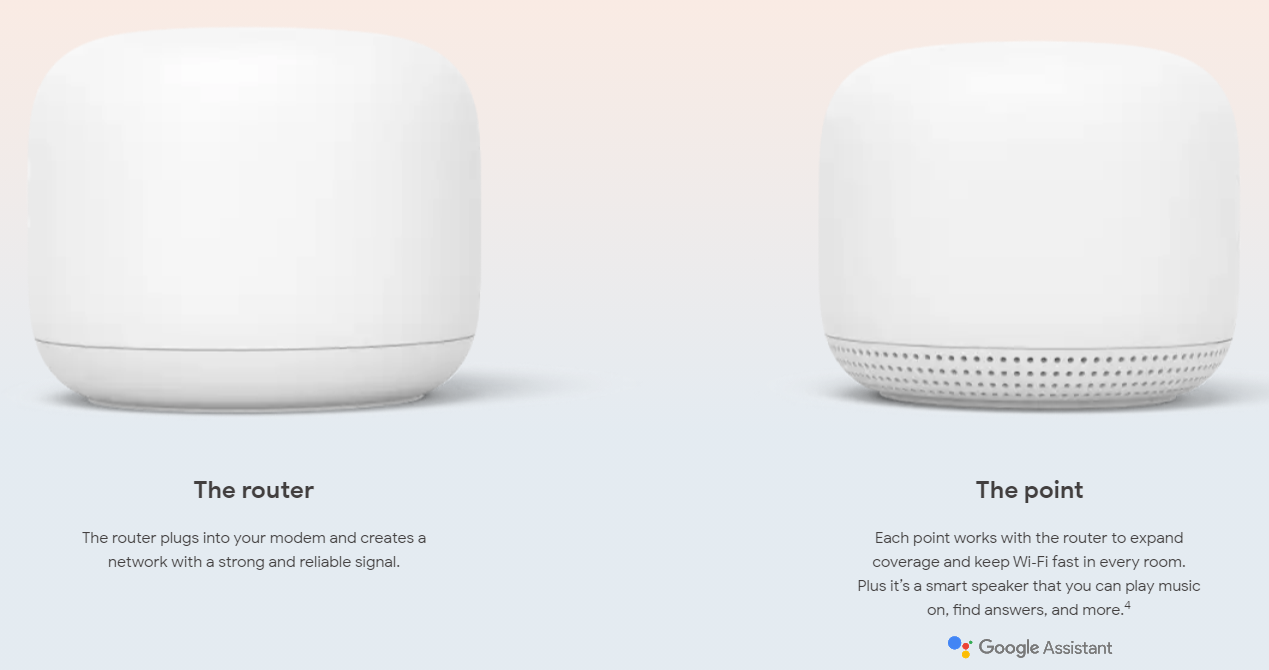
The main added feature in Nest Wifi is that it comes with a microphone and a speaker built-in. You can use it as a smart speaker, giving it voice commands, and enjoying the full benefits of having Google Assistant help with your day.
Similarities and Differences Between Nest Wifi and Google Wifi
The primary similarity between the two systems is that both have a basic unit to which other routers connect, forming a mesh network. The two systems also support wired connections even though Nest Wifi only has Ethernet ports on its basic unit. Also, both network systems have a wide coverage area.
The two systems differ in terms of design, price and availability, and other features.
Nest Wifi and Google Wifi: Design
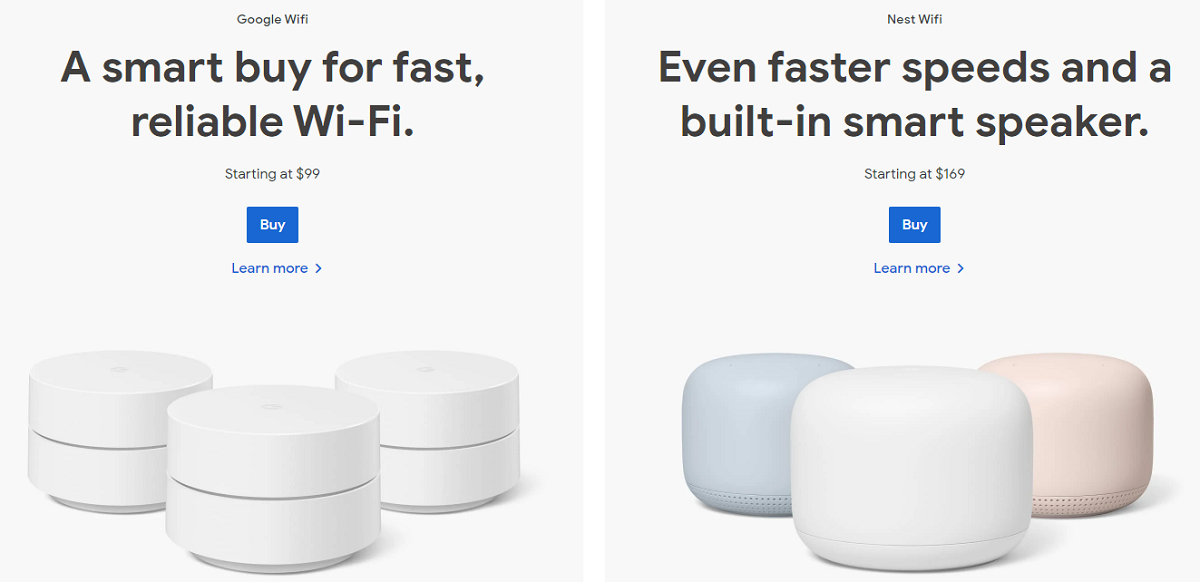
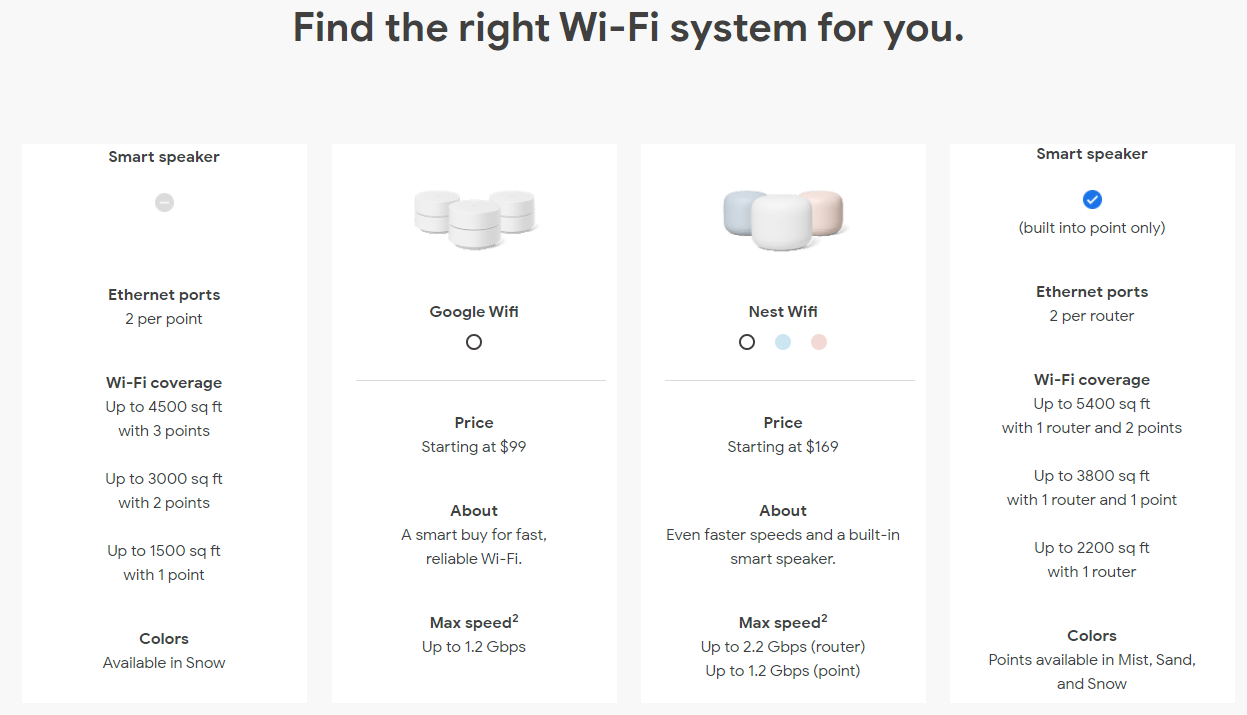
The two Google systems have different designs. Google Wifi plastic routers are only available in white. The cylinders are relatively smaller with a 4.1-inch diameter and a height of 2.7 inches. All of the units are the same size.
With Nest Wifi, there is some size difference between the primary router and the other units that form the mesh network. The primary router is about 3.6 inches in diameter and 4.33 inches high. Routers that extend to create the mesh network are about 3.4 inches in diameter and 4 inches high.
Google Wifi has a sharp design with a completely flat surface giving it a perfect cylindrical look and a line across its side. Nest Wifi maintains an aesthetic look with smoother and rounder hardware.
Google Wifi routers are only available in white. Nest Wifi, on the other hand, has a wide color range with mesh extenders. They're available in white, mist, and light pink. The primary router is only available in white.
Nest Wifi and Google Wifi: Price
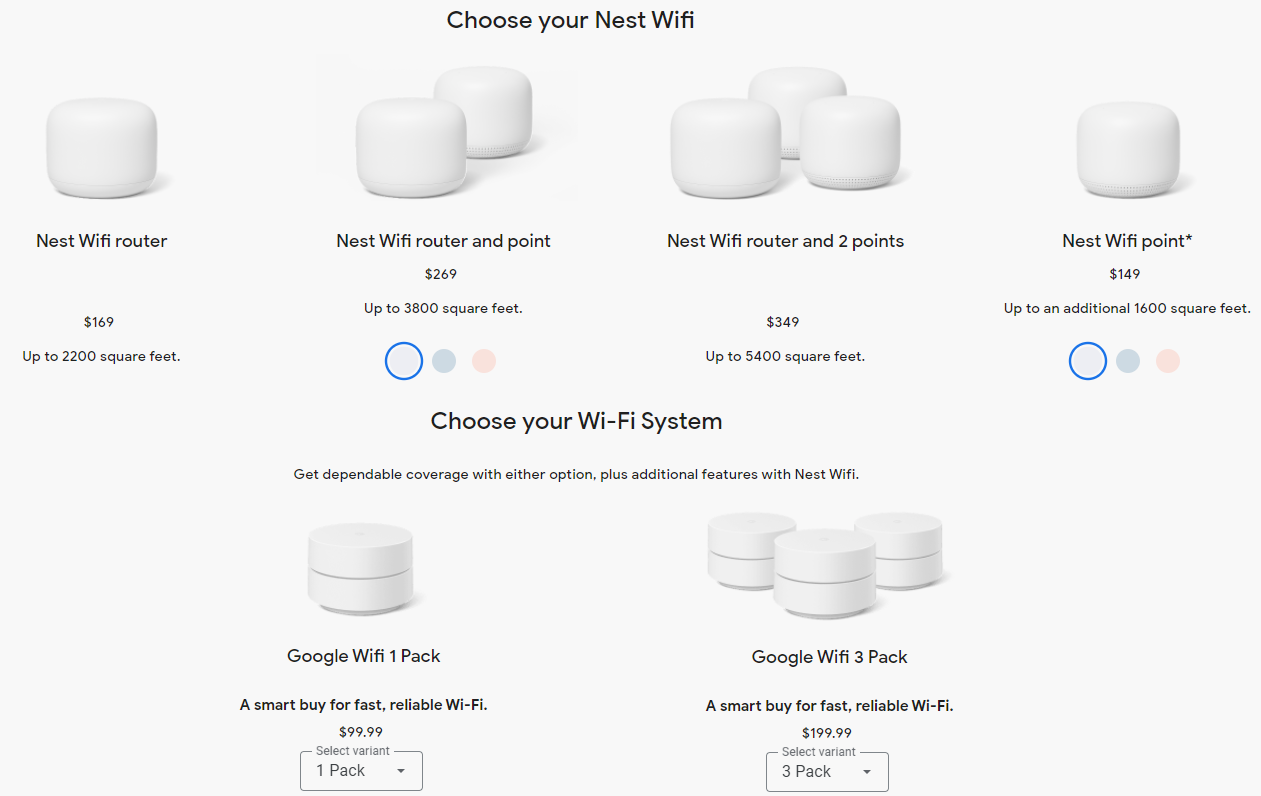
The prices of Nest Wifi and Google Wifi differ.
Google Wifi is available at selected retailers and often gets discounted. You can get Google Wifi for $99 and a set of three for $199. The Nest Wifi router is available for $169, with prices for sets of a router and point or multiple points varying. Currently, one Nest Wifi point costs $149.
Despite Nest Wifi offering more features, Google Wifi is a better value.
Nest Wifi and Google Wifi: Wireless Range
Wireless connectivity range is one of the most important features to look at while in the market for a mesh network system.
Both systems offer a fast router with a strong signal. Google Wifi network covers up to 1,500 square feet per unit, while Nest Wifi has a bit better coverage, extending up to 2,200 square feet for the main device and 1,600 square feet for the mesh extenders.
Each Google Wifi device has dual Ethernet ports supporting wired connectivity, enabling you to connect wired devices. Only the main Nest Wifi router has dual Ethernet ports.
Nest Wifi and Google Wifi: Features
Google Wifi gets you basic mesh network features. The system is controllable through an Android or iOS app.
You can control Nest Wifi through the app or with a Google Assistant command.
Making the Choice Between Nest Wifi and Google Wifi
Both Nest Wifi and Google Wifi systems are excellent products delivering on the promise of great wireless connectivity. Each option has the same basic features, with Nest Wifi boasting slight improvements in a few areas.
Google Wifi is less expensive. Nest Wifi has a sleek, attractive design with multiple color options, improved range, and Google Assistant integration to unlock even more features with just a voice command.
Unsurprisingly, deciding which system to get between the two comes down to your individual preference and taste. Google Wifi is the best choice for someone looking for great value, while Nest Wifi is a great option when searching for external flash.
If you can’t afford either system, there are always ways you can boost your Wi-Fi signal and extend the range without breaking the bank.




0 Comments