
KDE Plasma is a desktop tweaker’s dream come true. You can virtually change every aspect of the desktop, from adding widgets and changing fonts, to trying out over-the-top effects and transformative themes.
With most interfaces, you need to know where to look online to find these sorts of tweaks, but KDE spares you the effort. There’s a handy little magic button that delivers the goods right to your desktop.
What Is the “Get New Stuff” Button?
When you dive into system settings to change a part of your KDE Plasma desktop, take a look at the bottom right-hand corner. If you’re changing your desktop background, for example, the button in the corner will read Get New Wallpapers. Clicking this button will bring up a window displaying a wide range of wallpapers that aren’t already installed on your PC.
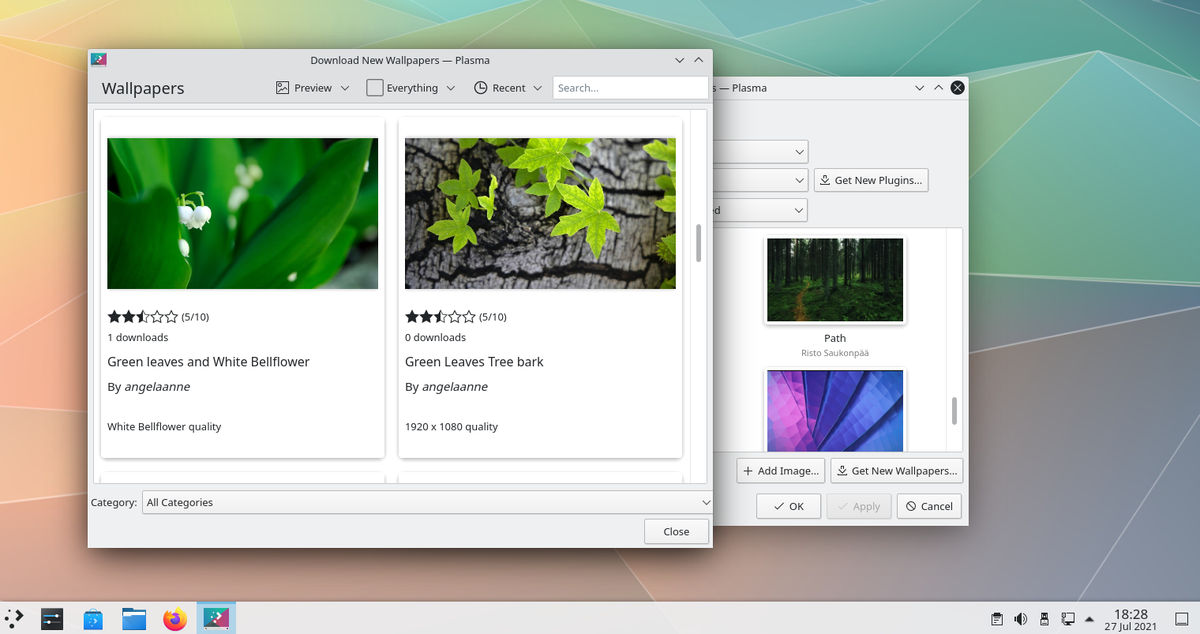
Plasma will save whichever backgrounds you choose to download to a proper folder so that they’re available whenever you want them.
How Do “Get New Stuff” Buttons Work?
These buttons integrate with store.kde.org. This is a place for people to upload their creations and share them with the wider free and open-source software community.
If you want to browse the full catalog in one place, you can do it via the website. You can download themes and add-ons directly from the site. If the installation doesn’t trigger automatically, there are command-line instructions available, but the easiest method is using the built-in “Get New Stuff” buttons spread throughout the Plasma desktop.
What Can You Download?
If you can imagine customizing something, then there’s a good chance that the Plasma desktop has provided a way for you to download related assets. You can download the following using the Get New buttons:
- Wallpapers
- Global themes
- Plasma styles
- Window decorations
- Desktop effects
- Task switchers
- Scripts
- Login screen (SDDM)
- Bootsplash screens
- Fonts
- Cursors
- Icons
- Color schemes
Customize Your KDE Plasma Desktop
This functionality has been a part of Plasma for years, but new content pops up all the time. The KDE community has truly embraced theming and customization in a way that's unparalleled. And with that, you have plenty of building blocks to make your PC your own.
GNOME and KDE Plasma go head-to-head when it comes to the best desktop environment for Linux. While each of them has its own pros and cons, they both offer a seamless and stable desktop experience to their users.





0 Comments